Why Your Restaurant Is Losing Customers to a Place With Worse Food (And How to Fix It)
Your food is better — so why are they getting more customers? 93% of diners check Google Reviews before choosing a restaurant. Here's the exact system that helps restaurants across India generate more Google reviews automatically, every single day.
You spent years perfecting your menu. Your biryani is better than the place down the street. Your butter chicken has a loyal following. Your ambience is warmer, your portions more generous, your service more attentive.
And yet — that place down the street has a 4.8 rating and 340 Google reviews. You have a 4.1 and 22.
So when a hungry family searches "best restaurant near me" tonight, they click on them. Not you.
This is the most frustrating problem in the restaurant business right now — and it has nothing to do with your food. It has everything to do with your Google review count. This guide breaks down exactly why it happens, and exactly how to fix it.
The Uncomfortable Truth About How Diners Choose Restaurants Today
Think about the last time you visited a new city or a new neighbourhood. How did you pick where to eat? You didn't ask a stranger. You didn't flip through a pamphlet. You opened Google Maps, searched for restaurants nearby, and filtered — consciously or not — by stars and review count.
Your potential customers are doing the exact same thing. Every single day. For your area.
- 93% of diners read online reviews before choosing a restaurant
- 4.0 stars is the minimum rating most customers will consider — anything below and they scroll past
- 3.5× more revenue for restaurants with 50+ reviews compared to those with under 10
- 1 in 3 customers will not visit a restaurant rated below 4 stars, regardless of cuisine or price
Google Reviews are no longer just feedback. They are your restaurant's storefront on the internet. They determine whether a first-time customer even considers walking through your door.
Your Google rating is either working for you or against you — 24 hours a day, 7 days a week — whether you're paying attention to it or not.
Why Restaurants Struggle to Get Google Reviews — Even When the Food Is Great
Here is what nobody tells you: the gap between a restaurant with 20 reviews and one with 300 reviews is rarely about food quality or customer satisfaction. It is almost always about systems — or the lack of them.
The Post-Meal Forgetting Curve
A customer finishes a great meal, pays the bill, and walks out genuinely happy. They fully intend to leave a review. But then life happens — they get a call, they step into traffic, they get home and put the kids to bed. By morning, the intention is gone. This is not laziness. It is human nature. The review window closes the moment they leave your premises.
The Awkward Ask Problem
Most restaurant owners and staff feel uncomfortable directly asking for a review at the table. It feels pushy. It disrupts the dining experience. So the ask never happens — even when the customer is visibly satisfied and would happily oblige.
The Friction of Finding Your Listing
"Just Google us and leave a review" is not a system. It asks the customer to open Google, search your restaurant name, find the right listing, navigate to the review section, and then figure out what to write. Most people abandon this process halfway through.
The Blank Page Problem
Even motivated customers stare at the empty review box and freeze. What do I say? How long should it be? Should I mention the dish? The ambience? Writer's block kills more would-be reviews than indifference ever could.
Every one of these problems is solvable — and Blinksby solves all four with a single 30-second interaction at your counter or table.
How to Get More Google Reviews for Your Restaurant — 5 Strategies That Actually Work
1. Put Your Review Link Everywhere Physical
Your menu, your bill folder, your table tent, your receipt, your takeaway packaging — every physical touchpoint in your restaurant is a missed review opportunity if it doesn't have a direct Google review link or QR code on it. This is the easiest first step and costs almost nothing to implement.
2. Train Staff to Ask at the Right Moment
The right moment is not when the customer is mid-meal or rushing out. It is right after they express satisfaction — when they say "that was amazing" or "we'll definitely be back." A simple response from your staff: "That means a lot — if you have a moment, a Google review would really help us. You can scan this right here." Natural, not pushy, and paired with a QR code so the action is immediate.
3. Add a QR Code to Your Bill Folder
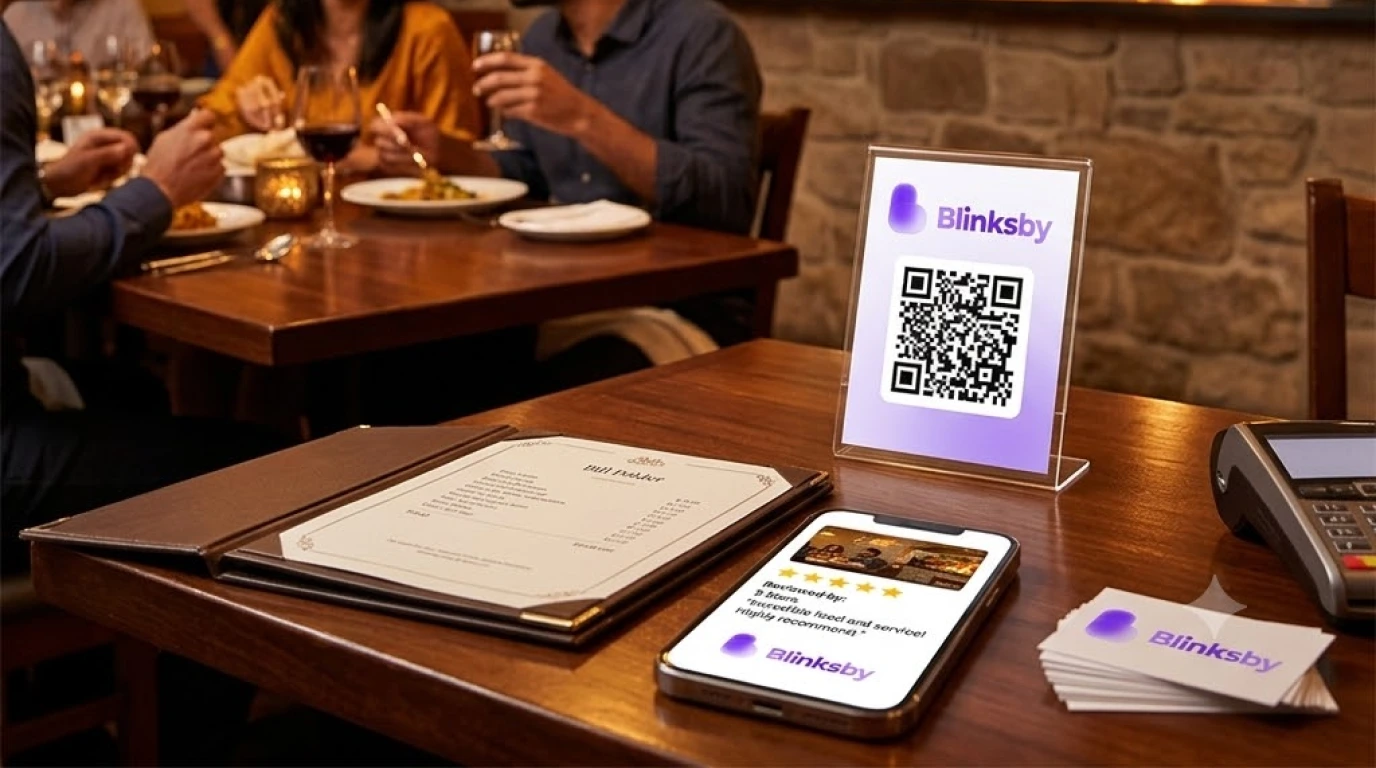
The bill moment is the single best review opportunity in a restaurant. The meal is complete. The experience is fresh. The customer is relaxed and settling up. A small QR code printed inside the bill folder — or on the receipt itself — captures this moment perfectly. No verbal ask needed.
4. Use WhatsApp for Takeaway and Delivery Orders
For takeaway and delivery customers, send a brief WhatsApp message 30 minutes after the order is delivered: "Hope you enjoyed your meal! A quick Google review would mean the world to us 🙏" followed by your direct review link. Keep it warm and personal — not automated-sounding.
5. Use an AI-Powered QR Review System
This is the strategy that consistently produces the biggest jump in review count. A smart QR code — placed at your counter, inside your bill folder, or on your table — takes customers directly to an AI-assisted review page. The AI writes a genuine, natural review in the tone the customer selects. They read it, approve it, and post it to Google in 30 seconds.
No blank page. No friction. No relying on staff to remember. Just a steady, automatic flow of new Google reviews — every service, every day.
This is exactly what Blinksby does for restaurants across India.
The Best Placement for Your Review QR Code in a Restaurant
Placement matters more than most restaurant owners realise. Here are the highest-converting spots:
- Inside the bill folder — the single best placement. The customer is done eating, relaxed, and has their phone already out to pay. Review intent is at its peak.
- Table tent cards — works well for dine-in customers who are waiting for food or finishing up. Gives them something to do with their phone besides scroll social media.
- At the cash counter — ideal for quick-service restaurants, dhabas, and fast-casual setups where customers stand and pay. The QR standee sits right in their eyeline.
- On takeaway packaging — a QR code sticker on your box or bag reaches delivery and takeaway customers at the moment they open their food and feel the anticipation.
- Near the exit — a final prompt as customers leave. Works as a last-chance capture for those who missed the bill folder QR.
Paid Blinksby plans include a free physical QR standee — so you have a professionally presented review prompt ready to place the moment you sign up. Start your free trial here →
How Blinksby Works for Restaurants — From Setup to First Review in Under 5 Minutes
Blinksby was built for exactly this — local businesses where the experience is excellent but the online presence doesn't reflect it. Here is how it works:
Step 1: Create Your Restaurant's Page
Add your restaurant name, connect your Google Business Profile, and upload your branding. Your live Google rating and review count are pulled in automatically so you can see exactly where you're starting. Takes about 2 minutes.
Step 2: Get Your Smart QR Code
A unique QR code is generated instantly for your restaurant. Download it, print it, and place it wherever your customers are — bill folders, table tents, takeaway bags, the counter. Paid plans include a free printed QR standee delivered to you.
Step 3: Customer Scans and Picks a Tone
The customer opens their camera, scans the QR, and lands on a clean mobile page that loads instantly. They choose a tone — Friendly, Casual, or Professional — based on how they feel like writing. No app download. No login. No personal information required.
Step 4: AI Writes It — They Post It in 30 Seconds
Gemini AI drafts a genuine, naturally worded review in seconds. The customer reads it, taps Copy, and posts it directly to your Google listing. The whole process takes under 30 seconds. Every diner who had a great meal is now a potential 5-star review — automatically, without your staff lifting a finger.
Track everything — scans, conversions, rating growth — from your real-time Analytics Dashboard. See all features by plan →
What Happens When Your Google Reviews Start Growing
The impact of a growing review count is not just psychological — it is algorithmic. Google's local search ranking actively rewards restaurants that collect reviews consistently and recently. Here is what changes as your reviews grow:
You Rank Higher in "Near Me" Searches
Google's local algorithm uses review quantity, recency, and rating as direct ranking signals. A restaurant collecting 2–3 new reviews per week will consistently outrank a competitor with a higher rating but stale, months-old reviews.
Your Click-Through Rate Jumps
In Google Maps results, listings with more reviews and higher ratings get clicked significantly more — even when they appear in the same position. Stars are the first thing the eye goes to.
Word of Mouth Scales Digitally
Each new review is effectively a permanent, public recommendation from a real customer — visible to everyone who searches for restaurants in your area, forever. 200 reviews is 200 people vouching for you simultaneously, around the clock.
You Attract Better Customers
Customers who find you through strong Google reviews tend to arrive with higher trust and lower price sensitivity. They already believe in your quality before they walk in. They tip better, complain less, and review more.
Blinksby Plans for Restaurants
Whether you run a single outlet or a chain across multiple cities, Blinksby has a plan that fits. See full pricing →
- Free Forever (₹0/mo) — 1 restaurant, 10 AI reviews, basic analytics. No credit card needed. Start here and see results before spending a rupee.
- Starter (₹99/mo) — 1 restaurant, 100 reviews/month, free QR standee, free NFC tag, email support. The right plan for a single-location restaurant serious about growing its rating.
- Growth (₹399/mo) — 5 restaurants, 500 reviews/month, advanced analytics, priority support. Perfect for multi-outlet owners or restaurant groups.
- Agency (₹2,999/mo) — 50 restaurants, 5,000 reviews/month, dedicated support. Built for restaurant chains, franchises, and marketing agencies managing multiple F&B clients.
All paid plans come with a free physical QR standee and NFC tags — so your review system is live in your restaurant from Day 1. Start your free trial →
Frequently Asked Questions
Is using AI to draft reviews against Google's policies?
No. Google's policies prohibit fake or incentivised reviews. Blinksby generates a draft that the customer reads and approves before posting — it is their genuine review, written with AI assistance, much like using autocorrect or a writing tool. The customer is always in full control of what gets posted.
How many reviews do I need before I see a real difference?
Most restaurants see meaningful impact after crossing 50 reviews with a rating above 4.3. The growth from 50 to 100 is typically where click-through rates and walk-in traffic visibly increase. With Blinksby's Starter plan, a busy restaurant can reach that milestone in a matter of weeks.
What if I get a negative review?
Negative reviews happen to every restaurant. The best response is to reply professionally and publicly — it shows future customers that you care. More importantly, a steady flow of positive new reviews quickly dilutes the impact of any occasional negative one. Volume and recency are what matter most.
Does this work for takeaway and cloud kitchen businesses too?
Absolutely. For takeaway counters, the QR standee at the cash desk works perfectly. For cloud kitchens and delivery-only operations, a QR code sticker on your packaging combined with a WhatsApp follow-up is the most effective combination. Blinksby works for any restaurant format.
Can I use Blinksby for multiple restaurant locations?
Yes. The Growth plan covers up to 5 locations with 500 AI reviews per month. For larger chains, the Agency plan handles up to 50 business profiles under one account. Compare all plans →
How quickly can I get set up?
Under 2 minutes. Connect your Google Business Profile, download your QR code, and your review system is live. The free plan requires no credit card — you can start right now and have your first new review before the day is over.
The Bottom Line
Your food deserves to be found. Your loyal customers deserve to be heard. And your restaurant deserves a Google presence that actually reflects the quality of what you serve.
The restaurant down the street is not beating you because their food is better. They are beating you because they have a system that captures reviews automatically, every single day, from every customer who walks out satisfied.
That system is not complicated. It is not expensive. It takes 2 minutes to set up and starts completely free.
Start your free Blinksby trial today — and turn every great meal into a 5-star review →
Questions? Contact the Blinksby team or email [email protected]. We usually reply within a few hours.